Certificate of Membership — Design & Issue Digital Membership Certs
Learn how to design and issue professional digital membership certificates for organizations, clubs, and associations that build trust and loyalty.
Your organization spent real effort building a membership program — vetting applicants, setting standards, creating community. Then you hand new members a PDF with a logo slapped on it, and the moment collapses. A well-designed certificate of membership fixes that. It turns the act of joining into something members want to display, share, and pull out when they need to prove their status.
- A certificate of membership is a formal credential that confirms someone belongs to your organization — and signals that membership means something.
- Include 6 key elements: member name, org logo, membership tier, dates, a unique ID, and an authorized signature.
- Digital certificates cost a fraction of printed ones and can be verified instantly.
- A verifiable certificate ID or QR code is the single biggest trust upgrade you can make.
- Common questions answered — including how to issue certificates for free.
What Is a Certificate of Membership — and Why Does It Matter?
A certificate of membership is an official document issued by an organization — a trade association, alumni group, professional body, fitness club, or online community — that formally confirms an individual's active membership status. Not a login credential. Not an access card. A credential designed to be displayed, shared, and referenced.
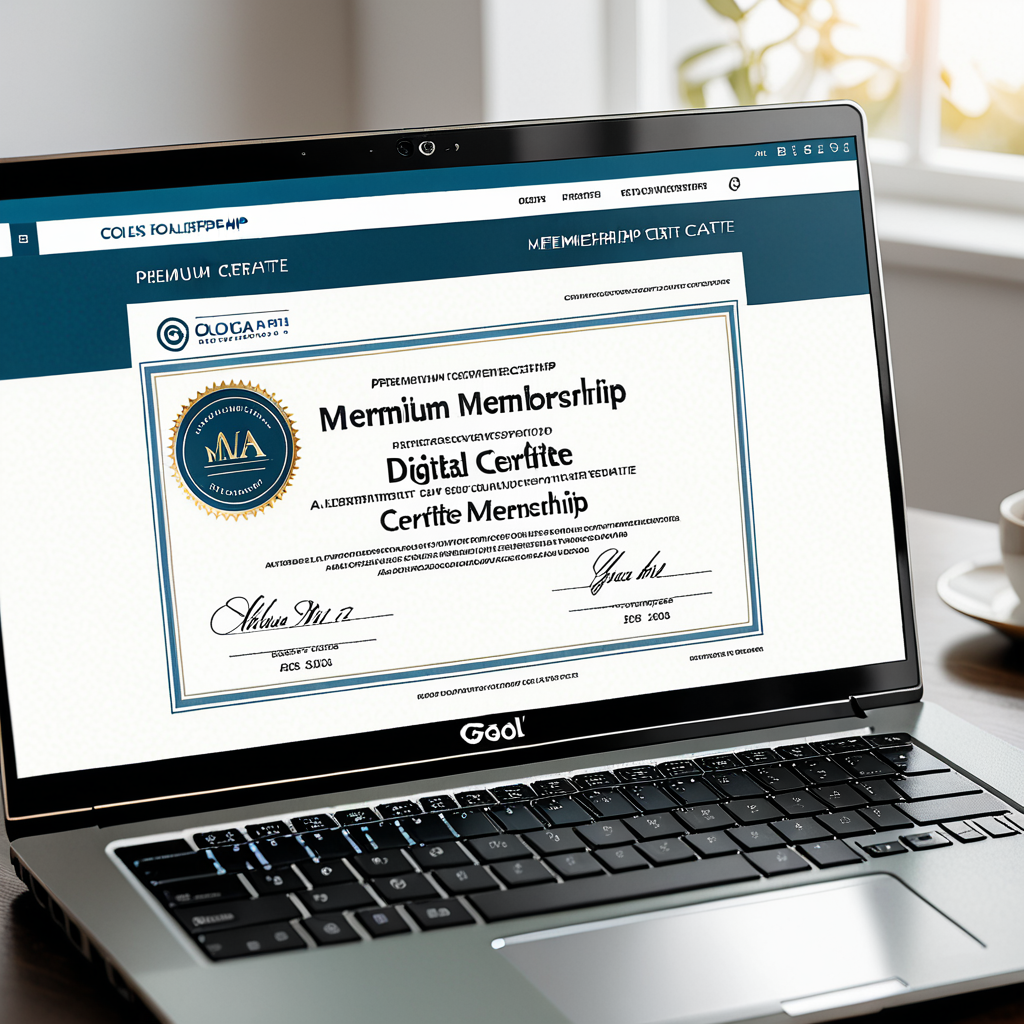
That distinction matters because membership has two audiences. The member wants to feel recognized. The outside world — employers, clients, regulators — needs to verify that status. A strong certificate serves both. Think of how a realtor displays their NAR membership, or how a consultant lists professional association credentials in a pitch deck. The certificate does the credibility work so the member doesn't have to explain it every time.
Most organizations underinvest here. They treat the certificate as an afterthought rather than a retention tool. Members who receive a polished, verifiable credential are far more likely to renew — and to recruit others — because the certificate itself becomes proof that membership is worth something.
6 Things Every Membership Certificate Needs
Skip any of these and the certificate starts to look informal. Include all six and it holds up to scrutiny — from a LinkedIn profile to a third-party audit.
- 1Member's full legal name — exactly as they registered. Nicknames create problems the moment someone needs the certificate professionally.
- 2Organization name and logo — in high resolution. Your brand is the credibility anchor for everything else on the certificate.
- 3Membership tier or category — "Full Member," "Associate Member," "Charter Member." Tier distinctions reward loyalty and make the credential more meaningful.
- 4Issue date and expiry or renewal date — so recipients and third parties know the certificate is current. An undated certificate raises immediate doubt.
- 5Certificate ID or membership number — a unique identifier that lets anyone verify the credential independently. This single element separates a real certificate from a decorative document.
- 6Authorized signature or digital seal — from an executive director, chapter president, or board officer. A digital signature carries the same legal weight as a handwritten one and is harder to forge.
Organizations that include a verifiable certificate ID see higher member retention because members can prove their status externally — to employers, clients, or regulators — without waiting for a letter from your office.
Digital certificates can go further still. Embedding a trust badge or verification link — the kind CertifyUSA generates — lets anyone click through and confirm membership status in real time. Printed certificates cannot do that. For more on how trust badges work alongside credentials, see how to add a trust badge to your website.
4 Steps to Design and Issue Membership Certificates Online

Picture a chapter coordinator for a regional engineering association emailing Word documents to new members and tracking numbers in a spreadsheet. Two hours per cohort. Members kept losing the files. Four steps replaced all of it.
Step 1 — Choose a template. Start with a purpose-built tool. A free certificate maker online gives you professionally designed templates built for membership credentials — not generic diploma layouts repurposed from something else.
Step 2 — Apply your branding. Upload your organization's logo, set your brand colors, choose typography that matches your existing materials. A certificate that looks disconnected from your other communications undermines trust rather than building it.
Step 3 — Add a verification element. Generate a unique certificate ID for each member. Better tools also embed a QR code or verification URL so the credential can be checked without contacting your office. The same principle that makes a certificate of recognition or a certificate of achievement credible applies here — verification turns a decorative document into a trusted credential.
Step 4 — Deliver digitally. Send by email as a PDF, post a download link in your member portal, or share a direct link. No printing costs. No lost documents. No manual tracking. When renewal comes around, update the date and re-issue in minutes.

"The certificate is the first physical proof a new member has that joining was worth it. Make it look like it was."
For organizations issuing multiple certificate types, a free online certificate creator that handles multiple templates from one dashboard cuts admin time significantly at scale.
A certificate of membership earns its keep twice — it rewards the member at the moment of joining and serves as verifiable proof of status for years afterward. The difference between a professional certificate and a Word document isn't aesthetics: it's whether your organization looks like it takes membership seriously. Digital tools make the professional version fast, free, and far easier to manage than printed alternatives ever were.
Frequently Asked Questions
What is the difference between a certificate of membership and a membership card?
A membership card is a physical or digital ID used for access and day-to-day identification — think gym keyfobs or student ID cards. A certificate of membership is a formal credential, typically designed for display, that officially documents and celebrates membership status. It's used for professional recognition or third-party verification, not door access.
Can I issue digital membership certificates for free?
Yes. Tools like CertifyUSA let you design and issue professional digital membership certificates at no cost. Customize templates, add your logo, include a unique certificate ID, and deliver by email or download link — no printing or postage required.
How do I make a membership certificate look professional and trustworthy?
Use your organization's official logo and brand colors. Include a unique membership number or QR code for verification. Add an authorized digital signature or seal. Embedding a trust badge or verification link adds a layer of credibility that printed certificates cannot match — anyone can confirm the credential is legitimate without calling your office.
Ready to issue professional membership certificates?
Design your certificate in minutes — free, no account required to start.
Create Your Membership Certificate Free →Bottom Line
A membership certificate is more than a formality — it's a trust signal.
Whether you run a professional association, alumni network, nonprofit, or loyalty program, issuing well-designed certificates establishes credibility, reduces verification overhead, and gives members something worth keeping. With free digital tools available today, there's no reason to skip this step. Design once, issue instantly, and let your credentials do the work.
CertifyUSA Team
Our content is reviewed by business certification and compliance professionals. We cover trust badge implementation, content authenticity verification, and business certification best practices to help businesses build credibility online.
Related Articles
Certificate of Appreciation — Create & Send Online
Learn how to create a professional certificate of appreciation for employees, volunteers, teachers, and community members using a free online certificate maker.
Winston AI Alternative: Human Content Certification & Trust Badges
Winston AI detects AI content — but it can't certify yours. CertifyUSA gives you a third-party human content certificate, embeddable trust badge, and verifiable seal. See the difference.
Certificate of Achievement — Create & Send Professional Digital Certificates
Learn how to create, customize, and send a professional certificate of achievement for students, employees, and athletes using a free online certificate maker.
Ready to certify your business?
Join thousands of verified businesses on CertifyUSA.