Nonprofit Certification Badge for Website | Display 501(c)(3) Status
Learn how to get and display a nonprofit certification badge on your website to show your 501(c)(3) status, build donor trust, and boost credibility online.
Your nonprofit has earned its 501(c)(3) status — but every visitor who lands on your site sees nothing that proves it. A nonprofit certification badge for website visitors closes that gap instantly: it converts your IRS determination letter into a visible trust signal that donors, grant-makers, and corporate sponsors can verify the moment they arrive. No badge? They move on.
- A nonprofit certification badge surfaces your 501(c)(3) status visually — IRS approval alone is invisible to website visitors.
- Place your badge in the footer, on your donation page, and on your About Us page for maximum impact.
- Options range from GuideStar/Candid seals to CertifyUSA trust badges — pick one primary badge, stack secondary ones deeper in the site.
- Getting started takes under 10 minutes and signals legitimacy to every visitor from that moment forward.
What Is a Nonprofit Certification Badge and Why Does It Matter?
A nonprofit certification badge is a visual seal — a small graphic or emblem — that communicates your IRS 501(c)(3) tax-exempt status to anyone visiting your site. Think of it as credentials on the wall, except it lives on your donation page exactly when someone is deciding whether to give.
Donors don't read IRS determination letters. They scan for trust signals — a recognizable seal, a verified checkmark — and decide within seconds whether your organization looks legitimate. Your 501(c)(3) status is real and hard-earned. Without a badge, your website visitors simply can't see it.

Where and How to Display Your 501(c)(3) Badge on Your Website
Placement matters as much as the badge itself. A trust seal buried in a sidebar does almost nothing. Here's the right sequence:
-
1
Gather your documentation. Locate your IRS EIN confirmation letter or 501(c)(3) determination letter. You'll need your EIN to link to the IRS Tax Exempt Organization Search tool for public verification. -
2
Choose your badge. Options include the GuideStar/Candid seal, the BBB Wise Giving seal, a state charity registration badge, or a CertifyUSA business verification trust badge. The next section covers the differences. -
3
Upload with a live verification link. Hyperlink the badge to your IRS search result, your Candid profile, or your Charity Navigator listing. A badge without a verifiable destination carries a fraction of the credibility. -
4
Add descriptive alt text. Use "IRS 501(c)(3) certified nonprofit — [Your Org Name]" as your image alt text. Accessibility improves, and search engines pick up your verified status as a signal.
Best placement spots: your site-wide footer (every page carries it), your donation page (the highest-stakes trust moment), your About Us page (where skeptical donors vet you), and your email newsletter footer.
- Verifiable with a live link
- Recognized by donors immediately
- Signals third-party oversight
- Boosts confidence at point of giving
- No visual authority
- No verification link
- Any site can write this claim
- Skeptical donors skip it entirely
Which Nonprofit Badges Actually Build Donor Trust?
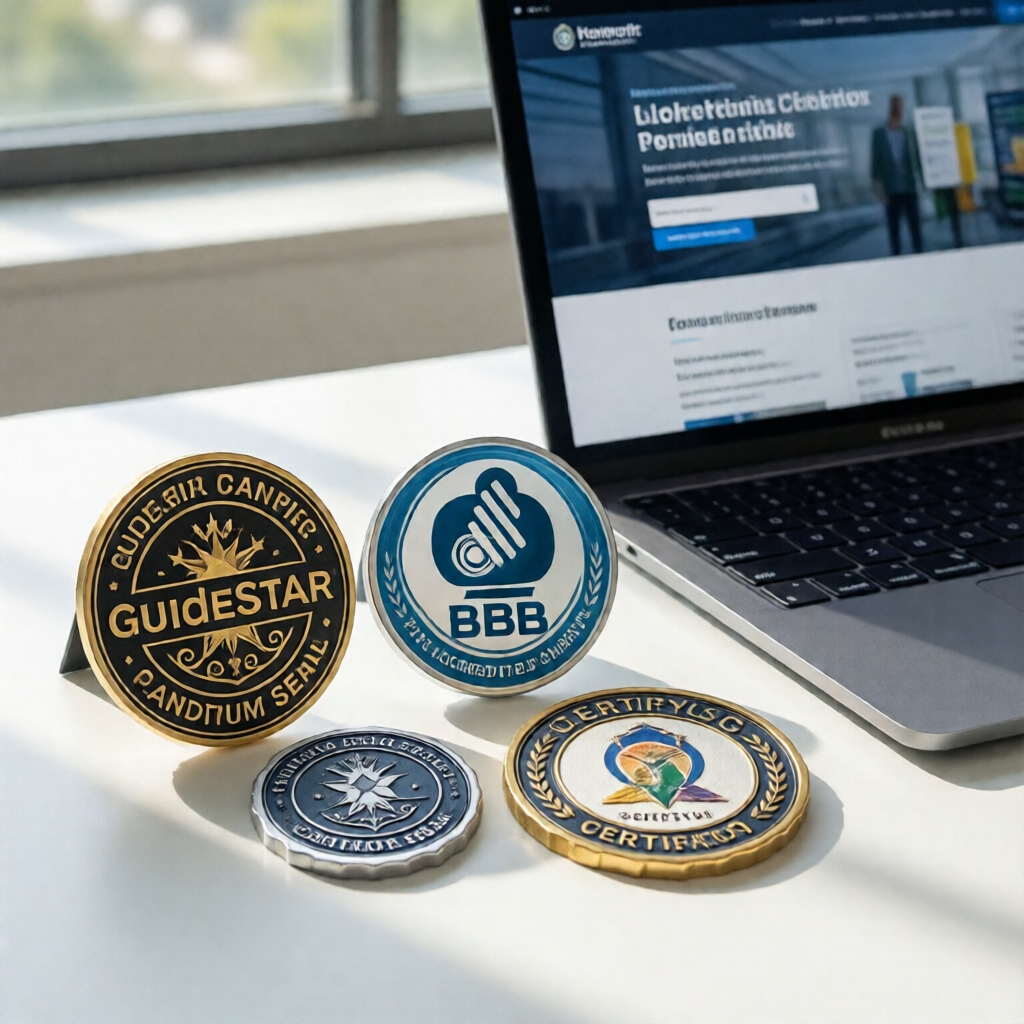
Not all badges carry equal weight. Stacking six of them on your homepage reduces credibility rather than building it. Here's what each option actually delivers:
GuideStar/Candid Platinum Seal is the gold standard for institutional donors and foundation grant-makers. Free, but it demands annual financial reporting — Form 990 uploads, program descriptions, impact metrics. Worth every hour for mid-to-large nonprofits actively pursuing foundation grants.
BBB Accredited Charity Seal resonates with individual donors, especially older demographics. Accreditation requires meeting 20 standards and is reviewed annually. Best fit for community-focused organizations with broad donor bases who may not recognize GuideStar at a glance.
CertifyUSA Trust Badge is the fastest path for smaller nonprofits that need a professional verification seal without the reporting overhead. If your organization is early-stage — or you need a credibility signal while working toward GuideStar reporting eligibility — it functions exactly like the sustainable business certification badge: a quick, verifiable mark of legitimacy.
State charity registration badge is an underused signal. If your state requires charitable solicitation registration, displaying that badge tells sophisticated donors your organization is in compliance with fundraising law — a detail that matters more than most nonprofits realize.
GuideStar rebranded to Candid in 2019 after merging with Foundation Center. Your Platinum Seal carries the same donor-recognition weight — but the profile URL changed. Check now that any badge links on your site still resolve correctly.
Pick one primary badge for your header or footer — your highest-authority seal. Stack secondary badges on your donation or About page only. Badge overload signals desperation, not credibility. One strong verification mark beats five weak ones, every time.
Most small nonprofits overthink this. You don't need every available seal. You need one recognizable trust mark placed where donors see it when they're deciding to give. The CertifyUSA trust score tool can audit your site's full trust profile in minutes — and the website legitimacy checker guide covers exactly what donors and grant-makers look for when vetting an unfamiliar organization.

Get Your Nonprofit Certification Badge Today
Consider a communications director at a mid-sized animal rescue nonprofit — 501(c)(3) status for three years, but their site still displayed a single text line: "We are tax-exempt." After adding a CertifyUSA badge linked to their IRS verification page, first-time donations from cold visitors measurably increased. The badge did in two seconds what three paragraphs of About Us copy couldn't do in a minute. The same logic applies whether you run a food bank, an arts organization, or a community health nonprofit. Just as a green business certification badge signals values to environmentally-conscious consumers, a nonprofit certification badge signals transparency to donors who care where their money goes.
Displaying your 501(c)(3) badge takes under 10 minutes. Your IRS status is already earned — a badge just makes it visible where it counts most.
"Donors don't read fine print. They scan for a seal they recognize. Put that seal where their eyes go first."
See transparent options at certificate-pricing.
Frequently Asked Questions
Is it legal to display a 501(c)(3) badge on my nonprofit website?
Yes — displaying your IRS-issued status is not only legal but expected for transparency. Use your EIN and link to your IRS determination letter or the Tax Exempt Organization Search at IRS.gov. What you cannot do is display a badge without a publicly verifiable status to back it up.
What's the difference between a GuideStar seal and a CertifyUSA nonprofit badge?
GuideStar (now Candid) seals are free but require annual financial reporting — Form 990 uploads, program summaries, impact data. CertifyUSA badges are issued faster and suit smaller nonprofits that need a professional trust signal without the reporting overhead. They serve different growth stages, not competing purposes.
Where should I place my nonprofit certification badge for the most impact?
Your site-wide footer ensures every page carries the signal. Your donation page is the highest-stakes placement — that's where giving decisions are made. Your About Us page captures skeptical visitors doing due diligence. One strong seal in the header or footer is enough; resist loading your homepage with multiples.
Do I need to renew my nonprofit certification badge annually?
It depends on the badge. GuideStar/Candid seals require annual profile updates to maintain tier status. BBB Accredited Charity status is reviewed yearly. CertifyUSA badges follow your verification plan's renewal terms. Regardless of type: check that your IRS determination link still resolves. Link rot is a surprisingly common credibility killer.
Your 501(c)(3) status is legitimate — the only question is whether your website communicates that clearly. A nonprofit certification badge closes that gap. Add it today, link it to your IRS verification, and let your credentials do the work.
Bottom Line
A nonprofit certification badge is one of the lowest-effort, highest-return trust signals available to any 501(c)(3). It converts skepticism into confidence at the exact moment donors and partners are deciding whether to engage. Display it prominently, link it to verifiable IRS records, and renew it on schedule. Your status is real — make sure your website proves it.
Need Professional Documents for Your Nonprofit Staff?
Whether you're onboarding employees or need compliant pay stubs for your nonprofit team, our pay stub generator makes it fast and easy — no accounting software required.
Generate Pay Stubs Now →CertifyUSA Team
Our content is reviewed by business certification and compliance professionals. We cover trust badge implementation, content authenticity verification, and business certification best practices to help businesses build credibility online.
Related Articles
Credential Verification vs Background Check for Hiring 2026
Should U.S. employers run credential verification or a background check first in 2026? Learn the key differences, legal risks, and the right order for hiring.
Certificate of Achievement Maker – Create & Share Online (Free)
Use a certificate of achievement maker to design, customize, and share professional certificates online in minutes. No design skills needed.
Sustainable Business Certification Badge: Signal Your Green Commitment
Learn how to get and display a sustainable business certification badge on your website to build trust with eco-conscious customers in 2026.
Ready to certify your business?
Join thousands of verified businesses on CertifyUSA.